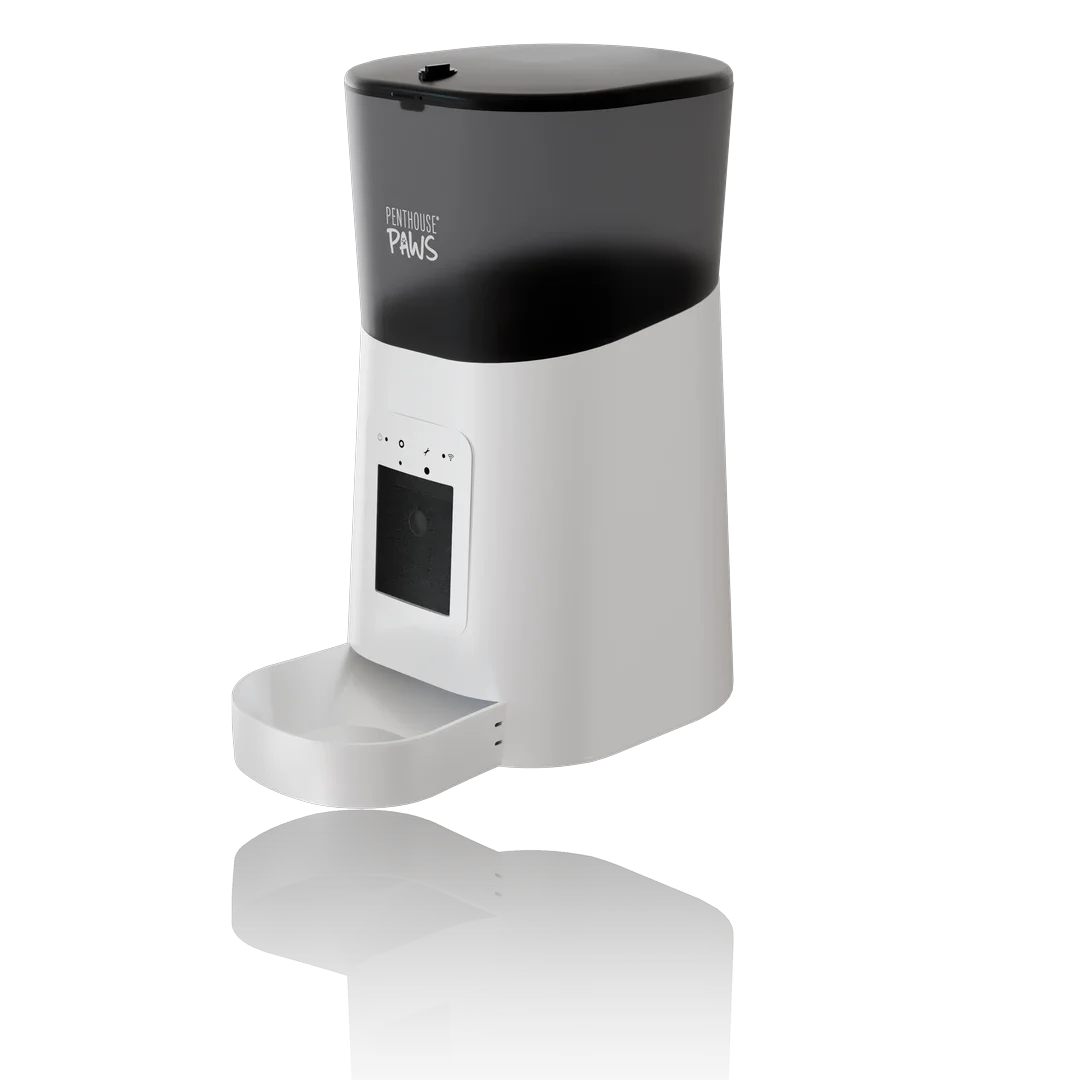
If you're a hardware startup with CAD on the screen and nothing on the table yet, order renders before you order the second round of prototypes. Not instead of prototypes. Before the next batch. A render set built from the STEP file you already have takes days, and it answers the questions printed parts are bad at answering: does this look like something people want, does the colour split work, and can you show it to an investor on Thursday?
That's the short answer.
The longer one is about order of operations, because I see founders get it backwards more often than not. They spend the first budget on a painted appearance model, change the design three weeks later, and then have a very expensive paperweight and no images.
What a prototype tells you and what it can't
A printed or machined prototype is a physics test. It tells you whether the lid closes, whether the snap fits survive, whether the thing sits well in a hand, whether the battery really fits next to the PCB once the cables exist. I'm an engineer first, so I'd never tell anyone to skip that step.
What a grey SLS nylon housing tells you about appearance is close to nothing. It's rough, it's the wrong colour, the gloss band you planned around the display isn't there, and the light pipe is a hole. You know that. The person across the table doesn't, however many times you say "imagine this in matte black". I've watched founders apologise for a prototype for the first two minutes of a pitch.
A render is the mirror image. It tells you nothing about whether the lid closes and a great deal about proportion, colour, material and finish, and how the product reads at 300 px wide on a phone, which is where most people will first meet it.
So they aren't competitors: they answer different questions, and the mistake is paying a prototype to answer the render's question.
The thing renders really replace is the appearance model
Functional prints are cheap now. A set of FDM parts from your own printer costs a few euros in filament, and an outsourced SLS or MJF housing for a handheld device is typically a small order that arrives within a week.
The painted, sanded, show-quality appearance model is a different animal. A model shop will usually need two to three weeks, it costs several times what the functional print did, and it freezes one version of the design in one colour. Move a button by 4 mm, change the charging port, split the housing differently for the toolmaker, and the model is out of date. That happens to nearly every hardware product between the first pitch and the first tool.
A render scene doesn't go stale in the same way. When the CAD changes I swap the STEP file, reassign the materials that lost their links, and re-render: usually an hour or two of work plus machine time, with the lighting and cameras untouched. Want it in three colours? That's a material change, not three paint jobs.
There's one honest exception. If you need hands on the product in a video, or a physical object on a trade show stand, you need the model. Nothing I render can be picked up.
The five images I'd make first
Startups often ask for "some renders", which is how you end up with twelve pretty pictures and no image that fits the deck. I'd rather make five that each have a job:
- Hero three-quarter view on a neutral background, at least 4000 px wide, so it survives a landing page banner and a printed roll-up.
- Clean front and side views with a few overall dimensions, for the technical slide.
- Colour and finish variants side by side, same camera, same light, so the comparison is fair.
- One in-context image: on a desk, a kitchen counter, a workshop bench, wherever the product will live.
- An exploded view or cutaway that shows what's inside. Technical investors look at this one longest.
That set covers a pitch deck, a landing page and a first crowdfunding draft. If the last item is the one you care about most, I've written about cutaway renders and how to keep them honest, and the same scene later feeds a full exploded view rendering for manuals.
Your CAD doesn't need to be finished
The most common reason founders give for waiting is that the design isn't frozen. It doesn't have to be.
For rendering I need the outside to be right and the inside to be roughly there. A STEP export from Fusion 360, SolidWorks or Onshape with the external surfaces modelled is enough to start. Missing fillets are a small problem (a sharp CAD edge renders like a knife, so I add a 0.2 to 0.5 mm bevel where a moulded part would have one). Missing parting lines are a bigger one, because a housing with no visible split looks like a toy brick, and people sense that something's off without knowing why. My checklist of files to send for a render covers the rest.
Because I open the model as an engineer and not only as an artist, the render job doubles as a cheap design review. Last spring a founder sent me the STEP of a handheld sensor about two weeks before a pitch event. While I was pulling the parts apart for the exploded view, I noticed the PCB standoffs ran into the battery pocket by roughly 1.5 mm. Nothing dramatic. They fixed it in an afternoon, before the next print order went out, which is a better moment to find it than with the parts in your hand.
That sort of thing isn't the purpose of a render. It just happens a lot when someone new takes your assembly apart.
Render only what you can build
Here's the trap. A render can show anything, and backers and investors have learned to distrust images that show too much. Who hasn't seen a campaign with a chrome-and-glass hero image and a shipped product in grey ABS?
I keep to a few rules on startup work. The materials in the image are the ones on the bill of materials, so no brushed aluminium on a part you'll mould. Parting lines, screws and the charging port stay visible. LEDs glow as much as a real 20 mA indicator behind a diffuser glows, not like a lighthouse. And the image gets labelled as a render wherever a platform asks for that. I went through what crowdfunding audiences accept in the piece on Kickstarter renders, and the short version is that modest and accurate beats spectacular.
Counter-intuitive, maybe: the honest render is also the more useful one for you. It shows the product you'll really have to sell.
What I'd actually do with a first budget
Print a rough functional prototype first, in whatever is cheapest, and don't sand it. Its job is ergonomics and fit. In the same week, send the same CAD out for the five images above.
Then put the renders in front of people before you spend anything else. A landing page, ten investor conversations, a few potential customers. You'll get comments on the colour, on the size of the button, on whether it looks like a medical device or a toy, and every one of those is a CAD change that costs you an evening. After a second prototype round, or worse after a tool is cut, the same comments cost weeks.
The part people don't expect is that the render changes the design. Seeing your product in its real materials under real light for the first time, you'll notice things the CAD viewport hid for months: a band that's too thick, a logo that's too big, a radius that makes the whole thing look cheap. Good. That's the cheapest feedback you'll get all year.
Only after that would I order the second, better prototype round.
I'd skip the painted appearance model completely unless a stand or a video shoot is booked.
When wouldn't I bother with renders? If the product's whole appeal is touch (fabric, soft goods, anything squishy), or if production samples already exist. Then book a photographer.
If you've got a STEP file and a date in the calendar, send both through the contact form and I'll tell you which of the five images you really need. The details of how I handle pre-production work are on the Kickstarter product renders from CAD page, the general process is under 3D product rendering, and if the model itself still needs engineering help, that's what my product development engineer work is for.