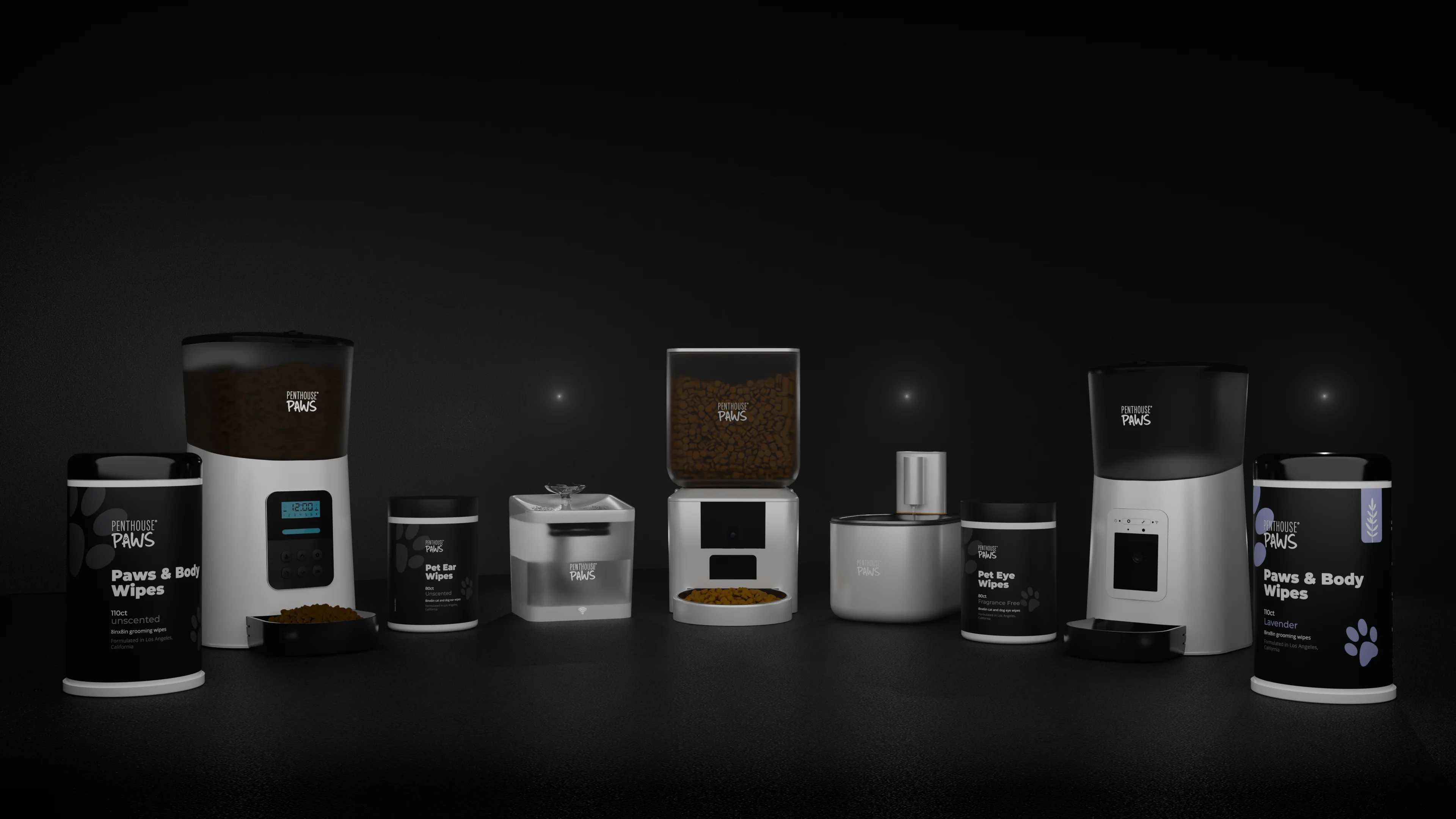
Per image, a 3D render usually costs more than a photo at 5 SKUs, roughly the same at 20, and a lot less at 100, but only if those 100 SKUs share geometry. That last condition decides almost everything. If your 100 products are 100 genuinely different objects with no CAD, a good photographer will often beat me on cost per image, and I'll tell you so before you pay for a single model.
I've run this comparison dozens of times for packaging, small appliances, furniture and product enclosures, and the maths always comes down to one split: fixed cost per product versus cost per extra image. Photography is mostly per image. Rendering is mostly per product. Once you see your catalogue that way, the answer usually falls out on its own.
Where the money goes in a photo shoot
A product shoot has a modest setup and then a steady cost for every frame. The photographer lights a table, and from then on each SKU needs unpacking, styling, cleaning (dust shows on dark plastic like snow), shooting, and then retouching. Retouching is the part people forget. A white background image with a clean shadow and no fingerprints typically takes 15 to 40 minutes per frame, more for chrome or glass.
Then there are the costs that don't show up on the photographer's invoice. You need physical samples, in final colours, with final labels. You need to ship them and get them back. If the packaging artwork changes in March, you shoot again.
None of that is a criticism. Photography is honest work with predictable costs, and for a shop selling finished goods that already sit in a warehouse it's often the right call.
Where the money goes in a render
A render front-loads the cost. Before I can show you anything I need a clean model with real materials, and that's where most of the hours go. From a decent STEP file, preparing a small appliance or enclosure takes me somewhere around 4 to 8 hours: fixing normals, splitting parts by material, adding the bevels CAD never has, building labels and textures. From photos and a few measurements it can be 12 to 20 hours, because I'm modelling from scratch.
After that, extra images get cheap fast. A new camera angle in a lit scene is maybe an hour including tweaks and a 4000 px render in Blender Cycles. A new colourway is often 15 to 30 minutes, since it's a material swap on a model that's already right. That's the whole economic story of rendering in one paragraph (and the reason I ask about variants before I ask about deadlines).
The same catalogue at 5, 20 and 100 SKUs
Here's the comparison I run for people, in hours rather than euros, because hourly rates vary so much between cities and between photographers. Assume 6 images per SKU: a white main image, three angles, one detail and one lifestyle shot. For the render column I assume STEP files exist and that SKUs come in families: 5 SKUs means 2 unique products, 20 SKUs means 5, and 100 SKUs means 12 base products in sizes and colours.
| Catalogue | Photo hours (shoot + retouch) | Render hours (models + images) | Hours per image, photo vs render |
|---|---|---|---|
| 5 SKUs, 30 images | about 20 | about 30 | 0.7 vs 1.0 |
| 20 SKUs, 120 images | about 70 | about 75 | 0.6 vs 0.6 |
| 100 SKUs, 600 images | about 330 | about 190 | 0.55 vs 0.3 |
These are planning figures from my own job logs and from photographers I've worked next to, not a price list. Your numbers will move. The shape won't.
At 5 SKUs the photographer wins because I'm paying for two full models and only spreading them across 30 images. At 20 they're level. At 100, rendering pulls ahead, but look at why: 12 models feed 600 images. If those 100 SKUs had been 100 different products, my column would jump to something like 600 to 900 hours and photography would win comfortably.
So the count of SKUs isn't really the variable.
The ratio of SKUs to unique geometries is, and it's the first thing I ask about when someone sends me a catalogue, long before I look at lighting references or talk about deadlines.
The mistake: counting SKUs instead of shapes
Last winter a small furniture maker asked me to quote renders for 14 chairs. When the drawings arrived it was 3 frames in 5 fabrics, minus one combination they didn't sell. That's 3 models and a fabric library, not 14 products. The quote came out at well under half of what they'd budgeted, and they'd nearly booked a two-day shoot instead.
The reverse happens too. A packaging job once came in as "8 products" and turned out to be 8 bottles with 8 different cap mechanisms, two of them transparent with liquid inside. Glass and liquid push render times up, and every cap needed its own model. Photography would have been cheaper for that one, and I said so.
Before you compare quotes, write your catalogue as a short table: unique shapes in one column, variants of each in the next. It takes ten minutes and stops you comparing the wrong things.
Costs neither quote shows you
Some costs only appear later, and they often swing the decision more than the quoted price does:
- Samples that don't exist yet. Pre-production products can't be photographed, full stop. For crowdfunding and pre-orders, renders aren't a cost choice, they're the only option.
- Artwork changes. A label update means a reshoot for photography and a texture swap for a render, often 10 minutes per product.
- New angles six months later. With a render I reopen the file. With photos you book the studio and find the samples again.
- Consistency across a range. Shot over three different days, white balance and shadow direction drift. Renders share one lighting rig, so 100 products sit together on a category page without fighting.
- Lifestyle shots. A photographed lifestyle scene needs a location, props and sometimes a model. A rendered one needs a scene built once and reused across the range.
On the other side, renders carry a risk photos don't: if your CAD isn't the product as manufactured (wrong draft, missing logo emboss, a seam the factory added), the render shows something slightly untrue. I check against photos of real samples whenever they exist.
What I'd actually do at each size
At 5 SKUs with physical samples on your desk, book a photographer.
Seriously. Unless the products don't exist yet or you need cutaways, I'd only render the hero image, and maybe not even that.
At 20 SKUs, look at the shape ratio. If it's under about 1 unique product for every 3 SKUs, rendering starts to make sense, especially if you'll add colours later. If every SKU is different, mixing works well: photos for the range, a few renders for the main images and for any exploded or cutaway views that a camera can't take.
At 100 SKUs built from a dozen families, I'd render, no question. Build each base model properly once, lock the lighting rig, and every new colour or size afterwards is a small job rather than a shoot. That's the setup I use for Amazon listing images and A+ content renders, and it's where rendering earns its keep.
One counter-intuitive point: the more often your range changes, the more rendering pays, even at small sizes. Why? Because every refresh is a reshoot on one side and a material swap on the other. A shop with 10 SKUs that changes colours every season can easily spend more on photography over two years than a shop with 30 SKUs that never changes.
Getting a fair comparison quote
Send both providers the same list: SKUs, unique shapes, images per SKU, and whether you have CAD or samples. Ask each one to split their quote into setup and per-image parts. If a render quote doesn't separate modelling from rendering, ask for that. It tells you what a new colourway will cost next year.
If you've already got STEP files, I've written about what survives a STEP import and how much cleanup to expect. For the packaging side of this question there's an older piece on packaging rendering versus photography too.
If you send me your SKU list and whatever files you have, I'll tell you plainly whether 3D product rendering beats a photo shoot for your catalogue, or whether you should call a photographer instead. The contact form is the quickest way.