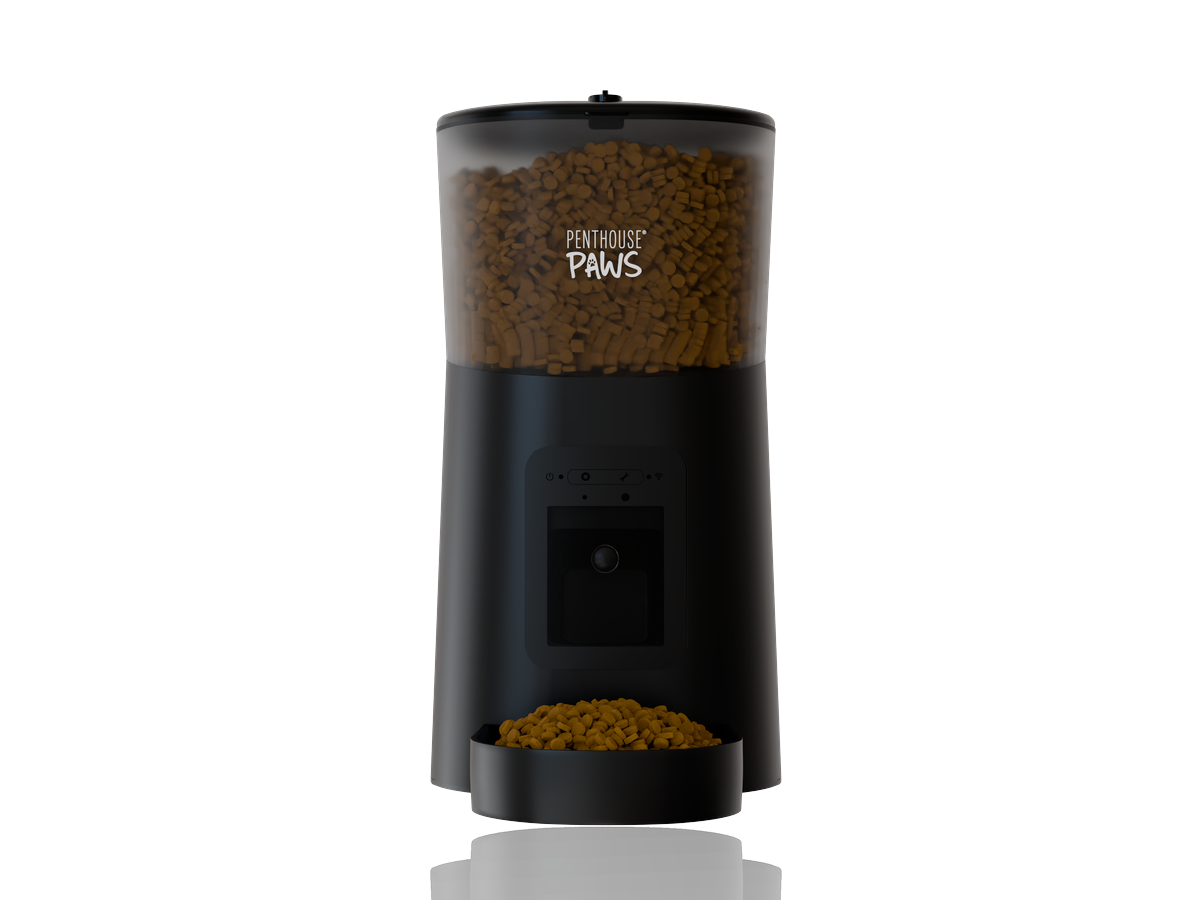
A single product render from a clean CAD file takes me about 8 to 14 working hours, spread over two to four calendar days. A set of five or six images for a launch is closer to 25 to 40 hours, usually a week and a bit including feedback. Those numbers move a lot depending on what arrives in my inbox, and most of the swing has nothing to do with rendering itself. The machine time is the cheap part. The waiting, the fixing and the back-and-forth are where the days go.
Below is how the hours actually split, stage by stage, from my own job logs on product work in Blender (Cycles) and KeyShot.
Stage 1: Reading the files (0.5 to 4 hours)
Before I quote a date I open everything. A tidy STEP export from Fusion 360 or SolidWorks with named parts takes me half an hour to check. I look at part count, whether the assembly is complete, whether screws and gaskets are there, and whether anything is obviously from an older revision.
A folder of STL files, a PDF drawing and three phone photos is a different afternoon. STL has no clean surfaces to work with, so curved edges come in faceted, and I have to decide whether to remesh or rebuild. That decision alone can add a day further down the line.
This is the stage clients never see, and it's the one that predicts the whole timeline. If I tell you "four days" after looking at your files, I've usually already found the two things that will slow us down.
Stage 2: Model preparation (1 to 12 hours)
Engineering CAD is built to be manufactured, not photographed. A 400-part enclosure assembly often has perfectly sharp edges everywhere, internal parts nobody will ever see, and tessellation that looks fine in a viewport and terrible at 4000 px. So I clean it up: bevel the visible edges (a 0.3 to 0.5 mm radius is usually enough to catch a highlight), hide or delete internals, fix flipped normals, split parts that need different materials.
For a simple consumer product like a water bottle or a handheld device, that's one to three hours. For a mattress exploded view with eight foam layers, stitching and a fabric cover, it was closer to ten, mostly because the layers came as flat blocks and the real thing has rounded, slightly bulging edges. If you've ever wondered why a render looks "CAD-ish", unbevelled edges are the main reason.
When there's no CAD at all and I'm modelling from drawings, add anywhere from 4 to 20 hours here. That's honest modelling work and I'd rather say so up front than hide it inside "rendering".
Stage 3: Materials and lighting (2 to 6 hours)
Materials take longer than people expect. Matching a specific anodised blue or a soft-touch black plastic so it reads correctly on a white background is fiddly, and I'll often do three or four test renders at low samples just to get the roughness right. Brushed metal, frosted plastic and anything with a texture (leather, woven fabric, wood grain) each add an hour or so.
Lighting I've mostly solved for standard packshots. I keep a small library of studio setups, a large soft key, a rim light, a fill card, and adapt them. Lifestyle scenes are another story: a pet feeder in a kitchen needs a kitchen, and building or adapting a believable environment can take 4 to 8 hours on its own.
Want to save a day here? Send a physical sample, or at least a real photo of the colour and finish under daylight. Pantone codes help. A sample in hand is better.
Stage 4: The actual render (machine time, 10 minutes to several hours)
This is the bit everyone asks about and it's the least interesting. A 4000 × 4000 px packshot on a white background in Cycles, at around 512 to 1024 samples with denoising, renders in 10 to 40 minutes on my workstation. Glass, liquids and caustics push that up, sometimes to two or three hours per frame. A ten-second turntable animation at 30 fps is 300 frames, which at 3 minutes a frame is 15 hours of machine time, so I run those overnight.
Machine time rarely sets the deadline. It runs while I'm doing something else.
Stage 5: Feedback rounds (where the calendar disappears)
A revision usually costs me 1 to 3 hours of work. It costs the project one to five days of calendar time, because feedback has to travel through a founder, a designer and sometimes a manufacturer before it comes back to me.
Last spring I did a set of six renders for a small hardware startup preparing a crowdfunding page. My working time was about 30 hours. The project took three and a half weeks, almost entirely because the team was arguing internally about a colour, and every round reopened the discussion. Nobody did anything wrong. That's just how feedback works when several people care about the result.
The fix is simple and almost nobody does it: collect all comments in one message, from one person, per round. Two consolidated rounds are enough for most product sets. Seven scattered emails over a week are not two rounds, they're seven.
Stage 6: Post-production and delivery (0.5 to 2 hours)
Colour correction, a touch of contrast, removing a stray reflection, exporting in the sizes the client actually needs. For an Amazon listing that means a pure white background at the right pixel size; for a Kickstarter page it might mean wide crops and a transparent PNG for the hero. I check every image at 100% zoom before it goes out, because a fireflies artifact or a missing screw is embarrassing at that point. It's the shortest stage. I never skip it.
Realistic timelines by job type
Here's how those stages add up in practice. These are my typical working hours and calendar times for the common jobs, assuming files arrive complete and feedback comes back within a day or two.
| Job | Working hours | Calendar time |
|---|---|---|
| 1 packshot on white, clean STEP | 6 to 10 h | 2 to 3 days |
| 5 to 6 image listing set | 20 to 35 h | 6 to 10 days |
| Exploded view, 1 image | 10 to 18 h | 3 to 5 days |
| Lifestyle scene with environment | 14 to 24 h | 4 to 7 days |
| Sauna model, first render | varies by model | about 3 days |
| Modelled from drawings, no CAD | add 4 to 20 h | add 1 to 4 days |
The sauna line is the one I can be most precise about, because I've done enough of them that the workflow is fixed: for sauna visualization for manufacturers the first render is usually ready about three days after the files arrive.
What I'd actually do if you're on a deadline
Counter-intuitive, but true: asking for fewer images first is usually faster overall. If you need six renders in ten days, approve one hero shot properly before I touch the other five. Once the materials and lighting are signed off on image one, the rest go quickly, often two or three a day. If all six go out in parallel, every material comment has to be applied six times, and every round costs double.
Second, decide who approves, and make it one name.
Third, give me the real deadline, not a padded one. If your print file is due on the 20th, tell me the 20th. I'll plan the render queue backwards from it, and I'll tell you on day one if it doesn't fit, which is a lot more useful than finding out on day nine. The biggest timeline mistake I see is a fake early deadline that leads to rushed, unchecked feedback, and then a real round of changes after "final".
If you're preparing a launch, the pages on 3D product rendering and Kickstarter product renders from CAD explain what a typical set includes, and the wider product visualization page covers animations and exploded views. If you have a model and a date, send it over and I'll tell you honestly how long it needs.