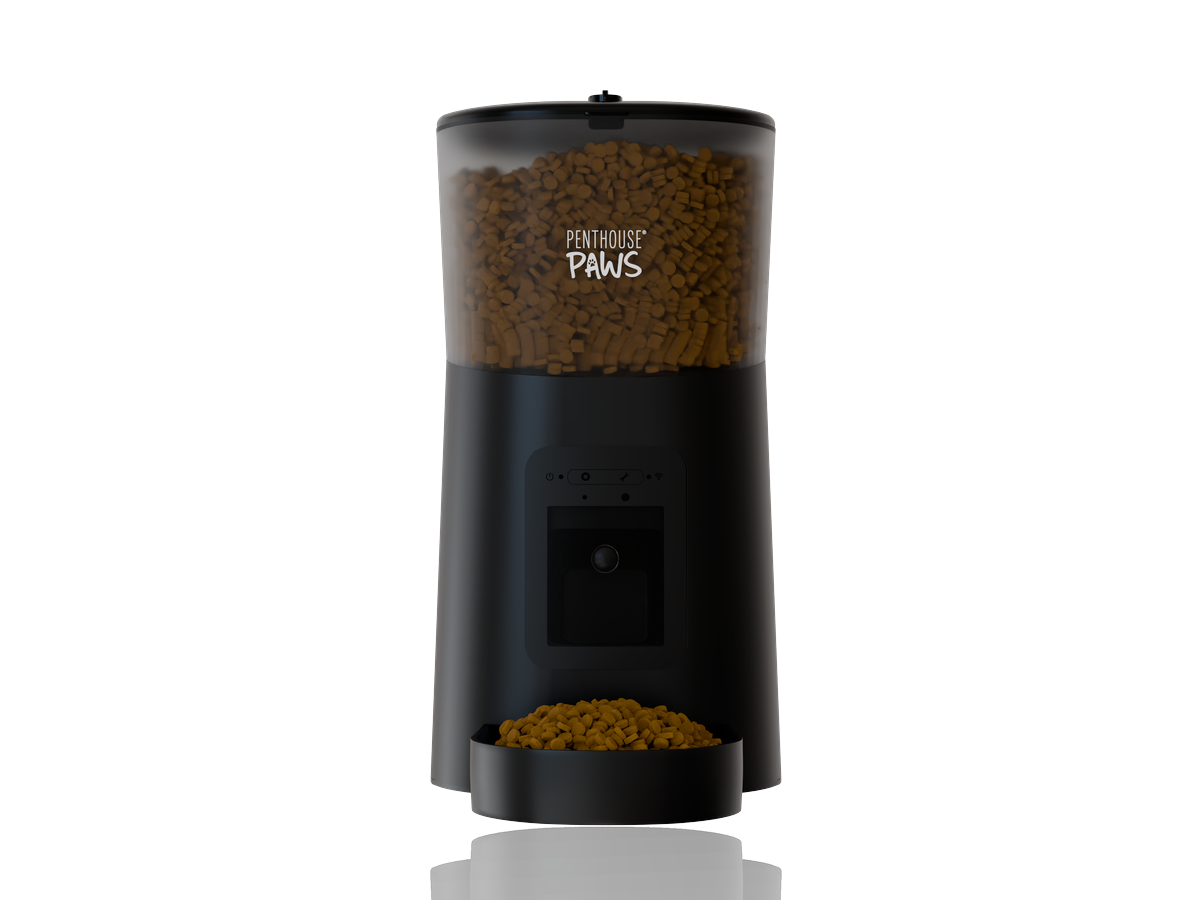
For most product renders I reach for Blender with Cycles. I open KeyShot when the job is a CAD-heavy assembly that has to look clean by tomorrow, when the client wants to spin through material variants with me on a call, or when the geometry arrives as native CAD and nobody has time to convert it. That's the short answer to Blender vs KeyShot for product rendering, and it hasn't changed much in all the time I've used both on paid work.
The longer answer depends on where your files come from and what you need at the end.
Where each one starts: CAD in, pixels out
KeyShot was built for people who live in CAD. You drag in a STEP, a Fusion 360 export or a native SolidWorks part, it tessellates the solids for you, keeps the part tree, and you're dropping materials on faces within a few minutes. There's no UV unwrapping step for most jobs because its materials are largely procedural and it can map textures by projection. For an engineer who renders twice a month, that's the whole appeal.
Blender is a mesh tool. It doesn't read STEP natively, so I either export a mesh from Fusion 360 (OBJ or FBX, with the tessellation turned up), or use an import add-on that converts B-rep surfaces to polygons. Either way I'm choosing a mesh density, checking normals, fixing the odd shading seam on a fillet and often unwrapping UVs on the parts that will carry a label or a wood grain. On a 40-part enclosure that prep takes me between one and three hours.
So who wins the first hour? KeyShot, every time.
It mostly stops winning after that. Once the model is clean in Blender I have a full modelling package around it: I can bevel a sharp edge that the CAD left at zero radius, add a cable, build a simple countertop scene, sculpt a cushion, scatter crumbs. In KeyShot you can do a little geometry editing, but anything beyond moving, hiding and duplicating parts sends you back to the CAD.
Render quality: closer than the forums say
People argue about this a lot, and honestly, on a white-background packshot you can't tell them apart. Both are physically based path tracers. Both do decent caustics through clear plastic if you set them up properly (Cycles needs a bit more coaxing there). Both denoise well.
Where I see a difference is in the defaults. KeyShot's out-of-the-box materials and HDRI lighting look good immediately, which is great, but it also means a lot of KeyShot renders online share the same slightly glossy, slightly soft studio look. Cycles looks flat until you light it, and then it looks like whatever you made it look like. For the kind of controlled studio setups I wrote about in studio lighting for product rendering, with large area lights, black flags and a rim light placed by hand, I find Cycles easier to push exactly where I want it.
Speed is a wash on my machine. A 4000 by 4000 px hero shot of a matte plastic device at around 512 samples with the OptiX denoiser takes me roughly three to six minutes on the GPU in Cycles. KeyShot on the same scene lands in the same range on CPU or GPU, give or take. Glass and liquids are slower in both, and that's physics, not software.
Materials, labels and variants
This is KeyShot's strongest area and I'll say so plainly. Its label system is excellent: you drop a PNG onto a curved surface, slide it around, and it behaves. Doing the same in Blender means a proper UV unwrap or a decal setup, which is fine once you know how but adds time on every single packaging job.
Variants are the other one. If a client wants the same kettle in nine colourways, KeyShot's Model Sets and Studios let me set it up once and output all nine from one scene file. In Blender I do it with a small Python script that swaps base colours and fires off renders overnight. It works well, and I actually prefer the control, but I wouldn't hand that setup to someone who doesn't script.
Here's where each one comes out ahead for me in day-to-day work:
- KeyShot: native CAD import, labels on curved packaging, quick colourway sets, live material sessions with a client watching.
- Blender: lifestyle scenes with props, animation and camera moves, exploded views with custom motion, anything needing modelling on top of the CAD, and no licence cost.
- Either: white-background packshots, simple turntables, basic transparent parts.
Animation and exploded views
KeyShot does turntables and simple part translations nicely, and for an assembly that just needs to spin or open, it's fine. The moment the animation has character (an easing curve that matters, a camera that follows a part, a cable that bends, parts that arrive in a staggered order) I'm in Blender. Its graph editor and drivers give me frame-level control that KeyShot's timeline doesn't, and the compositor lets me grade and add labels without leaving the file.
A while back I did an exploded view of a multi-layer mattress for a product page. Eleven layers, each needing to lift with a slightly different delay and a soft overshoot, then hold for a beat so the text callouts could appear. That took an afternoon in Blender. I tried a rough version in KeyShot first, out of curiosity, and gave up after an hour of fighting keyframes. If that sort of motion is what you need, my exploded view rendering work is almost all Blender for exactly this reason.
Cost, and the mistake people make with it
Blender is free. KeyShot is a paid licence, and the price depends on edition and on how they're packaging it that year, so check their site rather than trusting a number in a blog post.
The common mistake is to treat "free" as the deciding factor. It isn't, at least not for a business that renders occasionally. The real cost is your time. An engineer who opens a renderer four times a year will lose more hours learning Blender's interface, mesh prep and UVs than the licence costs, and the result will often look worse. For that person, KeyShot is the cheaper tool. For someone like me who renders every week and also models, animates and composites, Blender's flexibility pays back the setup time many times over.
And the counter-intuitive bit: the software matters far less than the lighting, the camera and the materials you feed it. I've seen beautiful work from both and terrible work from both. A bad render is almost never the engine's fault.
What I'd actually do in your position
If you're a product engineer or a small hardware company and you want to make your own renders now and then, buy or trial KeyShot. Import the STEP, use the library materials, light it with one of the studio HDRIs, and you'll have something presentable on day one. Don't start with Blender unless you're curious about 3D as a craft.
If you're building a visualisation skill set, or you need lifestyle scenes, animation, or full control of every pixel, learn Blender and accept the first month of frustration. It's worth it.
If you're hiring someone, ask them for the output files you need (resolution, format, transparent background or not, number of angles) and don't worry about which renderer they use. A good visualiser will pick the one that suits the job. I use KeyShot on maybe one job in five now, usually packaging with a lot of curved labels, and Blender for the rest.
What matters more is how you hand over the model. A clean STEP with sensible part names, a list of colours and finishes, and two or three reference photos of products you like will save more time than any choice of software.
If you've got a CAD model and a launch date, have a look at how I handle 3D product rendering and the wider product visualization work, then send the files over. I'll tell you which tool I'd use for it and why, and roughly how long it'll take.