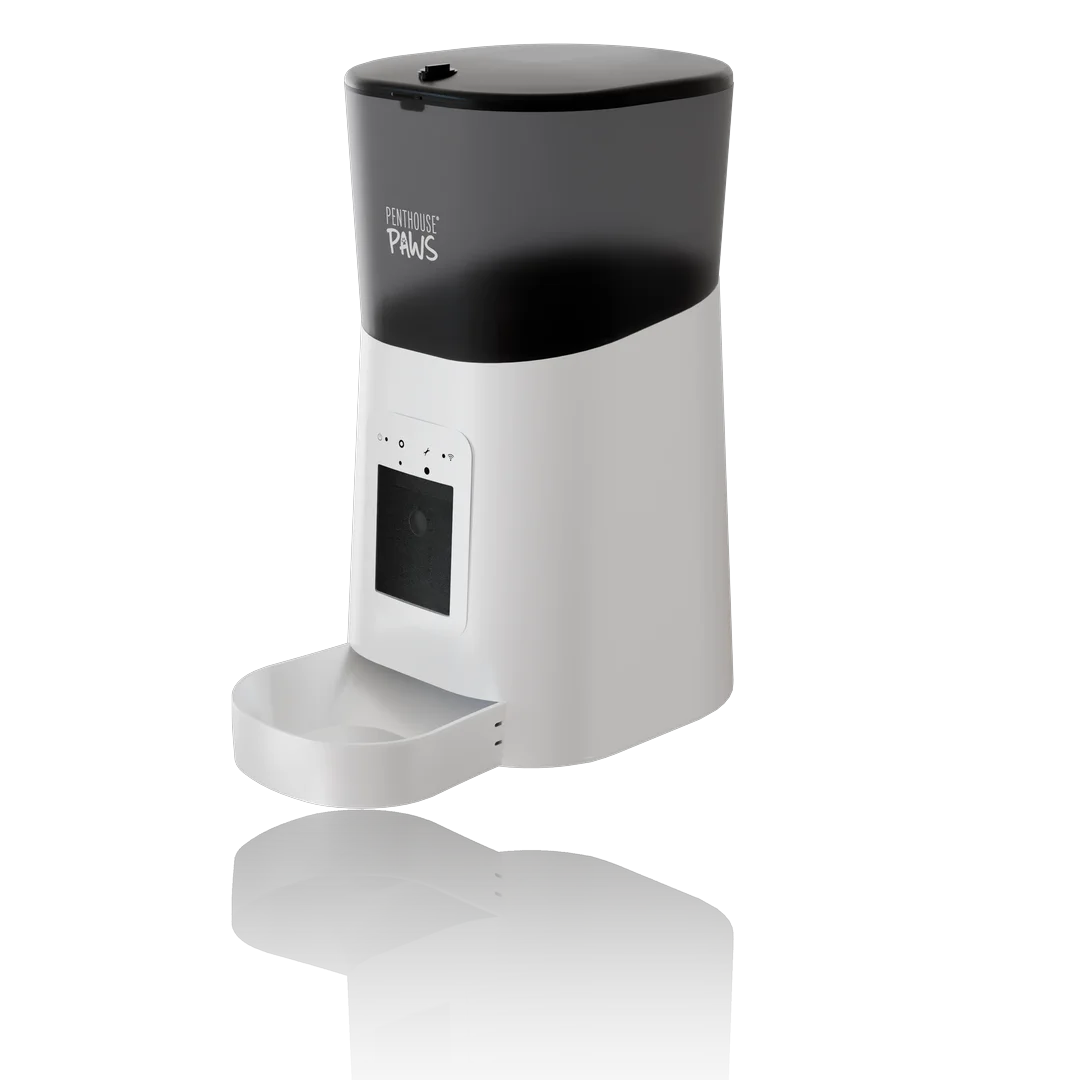
If your product exists only as CAD, or you sell more than about three colour variants, a 3D render will beat a photo shoot for Amazon listing images almost every time. If you sell one physical SKU that's already sitting on your desk and its appeal is how it feels in a hand, book a photographer. Most sellers I talk to sit somewhere in between, and that's where the decision gets interesting.
I've done a fair amount of this work: smart pet feeders, sealed sensor enclosures, a handheld massage gun, supplement pouches, yogurt cups. The listing set is usually the first thing a hardware founder needs after the prototype works, and it's often needed before the factory has shipped a single sellable unit.
What Amazon actually asks for
The main image rules are short and strict. Pure white background (RGB 255, 255, 255), the product filling roughly 85% of the frame, no text, no badges, no props that aren't in the box. For zoom to work the longest side needs at least 1,000 px, and I deliver 2,000 to 3,000 px so there's room to crop. Secondary images get far more freedom: lifestyle scenes, infographics, dimension callouts, what's in the box.
Then there's A+ content, the module-based section lower down the page. Those modules have fixed pixel sizes (the standard header banner is 970 by 600 px), and a render framed for a square main image often won't crop into a wide banner without cutting off the product.
That last point is where renders quietly win.
Where a render beats the camera
A pure white background is the obvious one. In a photo studio, getting true 255 white without burning out the edges of a white product is a fight: you light the sweep separately, then someone spends twenty minutes per image cleaning the edge in post. In Blender I render the product on a transparent background with its contact shadow on a separate pass, and the white is white because I put it there. A white smart feeder on a white background is the classic trap, since the edge simply disappears in a photo, and in a render I can add a faint rim light that defines the silhouette without anyone noticing it.
Colour variants are the second. Once the model and lighting are set, a new colourway is a material swap and a re-render, usually 10 to 20 minutes of machine time at 2,500 px. Shooting six colours means six physical samples, and the factory has to make all six before you can list any of them.
Third, things a camera can't show. A cutaway through a sealed enclosure, the gasket sitting in its groove, the gearbox inside a feeder. Those are often the most persuasive secondary images, because they answer "is this cheaply made?" before the buyer asks. That's exploded view rendering territory, and it comes almost free once the CAD is already in the scene. And timing. Listings for a launch need to be live before inventory lands, and with renders the images are finished while the containers are still at sea.
Where a photo shoot still wins
Soft goods. Fabric that drapes, a plush toy, a knitted blanket, a leather strap that's been handled for a week. I can render fabric well (I've done mattress layers and woven textures in macro close-ups), but making a soft product look casually real takes far more modelling time than a good photographer needs to style it on a table.
Food is the other one, along with anything where the buyer is judging a texture they'll eat or touch. And if the product is already in your hands, it's simple, and you need four images, a competent local photographer with a lightbox is probably cheaper. I'd tell you that on a call.
People are a grey area. Lifestyle shots with someone holding the product are possible in 3D, but realistic human figures add cost and rarely look as natural as a quick photo session. The compromise I usually suggest is renders for the main image and the technical secondaries, plus one or two lifestyle photos once samples exist. I made the same argument for boxes and pouches in 3D packaging rendering vs photography, and it holds for most hard products too.
The mistake I see most: renders that look too perfect
Here's the counter-intuitive bit. The render that fails on Amazon is rarely the one that looks fake because it's bad. It's the one that looks fake because it's flawless.
Perfectly sharp edges, zero surface variation, plastic with no texture at all. Buyers have scrolled past enough cheap 3D mockups to sense it, even if they couldn't tell you why, so I add the boring stuff that real objects have: a 0.3 mm bevel on every hard edge so highlights roll off the way they do on a moulded part, a very slight orange-peel bump on matte ABS, a tiny bit of roughness variation on painted metal. The goal is "great product photo", not "computer render".
A couple of years ago I rendered a sensor enclosure for a hardware startup where my first draft made the injection-moulded housing read almost like glass. Nothing was technically wrong. I dropped the specular, added a fine texture matching the mould's spark-eroded finish, and the same scene suddenly looked like something you could buy. That revision took about an hour, and it was the hour that mattered most.
How I build a listing set from one model
The order I work in, once the CAD arrives:
- Check the STEP or Fusion 360 file, fix surfaces that tessellate badly, add the edge bevels.
- Set materials and colours against a physical sample or Pantone and RAL codes.
- Light one master studio scene and render the main image at 3,000 px on pure white.
- Reuse that scene for the angles: three-quarter, back, top, a detail close-up.
- Build one or two simple lifestyle settings, usually a kitchen counter or a desk.
- Render the technical shots: dimensions, cutaway, exploded view, contents of the box.
- Export crops for the A+ modules and hand over layered files.
A 3,000 px studio shot in Cycles typically takes 4 to 8 minutes on my machine at around 512 samples with denoising. Lifestyle scenes take 15 to 30 minutes each, mostly because of glass, plants and soft light bouncing around a room.
Notice what isn't on that list: text. I don't put copy on the images. Your designer will rewrite the infographic captions three times after the first week of sales data, and you don't want to pay a visualiser for every rewrite, so I leave clean negative space where the words will go.
What it costs, honestly
I don't publish a fixed price for Amazon sets, because the model decides most of the bill. A clean production STEP file with correct part splits is a different job from a concept model built for a pitch deck, and both differ from a few photos and a napkin sketch. What I will say is that for a seller with several variants, a full set from one model usually costs less than a studio day plus sample shipping, and every extra image after that is cheap because the scene already exists. I wrote more about what moves the number in how much 3D product rendering costs.
The maths flips if you only need a main image and three angles of one physical SKU.
What I'd actually do
Pre-launch, with CAD and no sellable stock? Render everything: main image, angles, technical shots, A+ banners. Add one or two real lifestyle photos when samples arrive and swap them into the last slots. The A+ banners are the ones people forget to budget for, so plan them in from the start.
Already selling and adding colour variants? Render the variants and match them to your existing photos. That works well if I get one physical sample, or at least your current hero photo to match the lighting against. Without either, the new colours will look like they came from a different shop.
Selling something soft, edible or handmade? Shoot it.
Whichever route you take, check your main image at thumbnail size, about 300 px wide, before you upload it. That's where most buying decisions start, not at full zoom, and a product that reads clearly at 300 px on white will do more for your click-through rate than any amount of detail at 3,000.
The Amazon listing images and A+ content renders page shows how I scope these sets, and the general 3D product rendering page covers the studio side. If you have a model and a launch date, send it over and I'll tell you honestly which images are worth rendering and which ones you'd be better off photographing.