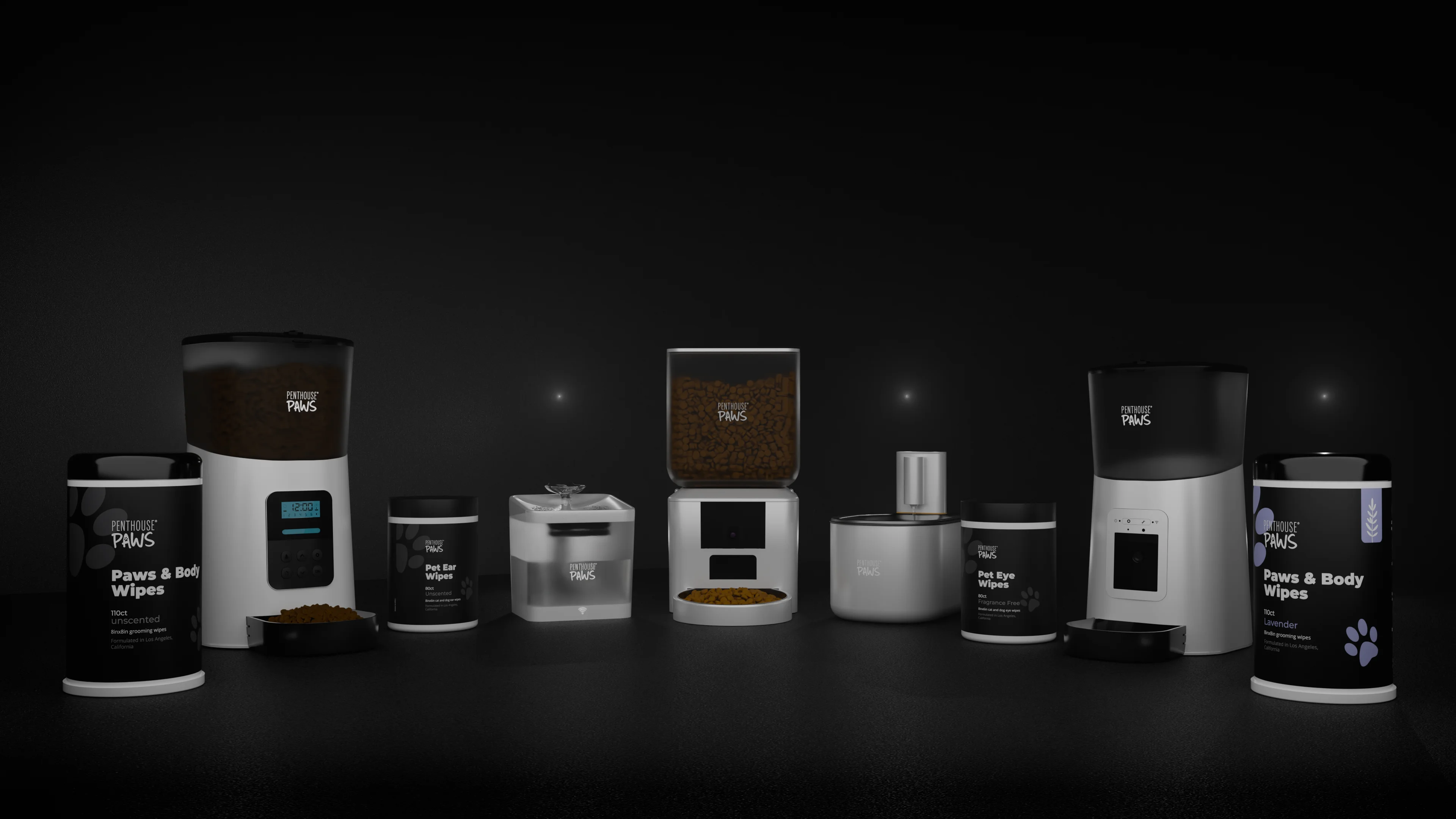
There's no single number, and anyone who quotes you one before seeing your files is guessing. What I can tell you is what actually moves the price of 3D product rendering, in the order it moves it: the state of your model, the number of finished images, the materials, and how many times the brief changes after work starts.
The only fixed price I publish is for saunas. The sauna visualization page lists EUR 250 per sauna model, first render about three days after the files arrive. Everything else I quote after I've opened the files, and the rest of this article explains why that isn't a dodge.
The model decides most of the bill
Here's the part people don't expect. The camera, the lighting and the render itself are rarely the expensive bit.
Getting a clean, render-ready model is. A STEP file straight out of Fusion 360 or SolidWorks with sensible bodies and real fillets can be in a lit scene within an hour. An STL exported at coarse tolerance, where every curved edge is a row of flat facets, needs rebuilding before it looks like anything you'd put on a product page. A product that only exists as a prototype, a few photos and a hand sketch is a modelling job first and a rendering job second.
Roughly, from what I've seen across 200+ visualization projects, the split goes like this. With good CAD, modelling and clean-up is maybe 20% of my time on the job. With a mesh or a drawing, it can be 60% or more. Same final image, very different amount of work behind it.
So if you want a cheaper quote, the most useful thing you can do costs you nothing: send the native CAD or a STEP, not a screenshot of it.
One hero shot versus a set of twelve
The second driver is the image count, but it doesn't scale the way a price list would suggest. The first image carries all the set-up: materials, lighting rig, camera, test renders, your feedback. Image two of the same product reuses nearly all of it. Images three to eight are mostly new camera angles and a few colour swaps.
That's why a set of six white-background shots for an Amazon listing images and A+ content renders job usually costs far less per image than a single lifestyle scene. A lifestyle shot needs a room or a kitchen counter or a desk, props that look lived-in but not messy, and lighting that matches a real window. That environment can take longer than the product itself.
A rough way to think about it:
- Studio shots on white or a plain gradient: cheapest per image, best for marketplaces.
- Colour or finish variants of the same view: close to free once the first one is approved.
- Lifestyle scenes: the most work per image, because the scene is a second model.
- Exploded views and cutaways: priced on how many parts move and whether labels are needed.
- Animation: a different conversation, since every second is 25 or 30 frames that all have to render clean.
Materials that eat render time
Matte plastic is easy. A black ABS housing with a light texture renders clean at 4000 px in a few minutes on my machine with Cycles, maybe 512 samples and a denoiser.
Clear plastic, glass, liquids and polished metal are not. A water bottle with a transparent body, a liquid inside and a brushed steel lid needs caustics behaving, refraction depth set high enough that the liquid doesn't go grey, and usually 2,000+ samples before the noise in the glass settles. A single frame can go from four minutes to forty. Jewelry is the extreme case: gold, diamonds, tiny reflections that have to look sharp at 100% zoom.
This matters for animation more than stills. Forty minutes per frame across a 10-second clip at 25 fps is 250 frames, which is about a week of machine time. I'll always tell you when a material choice is going to cost you render hours, because sometimes a frosted finish looks just as good and renders in a fraction of the time.
Fabric is the sneaky one (mattresses, upholstered beds, dog collars). It looks simple, but a believable weave needs either a real displacement texture or a very good normal map, and both slow things down in close-ups.
Revisions are where budgets quietly double
Every quote I send includes two consolidated revision rounds within the agreed brief. "Consolidated" is the important word. It means you collect feedback from everyone who has an opinion, put it in one list, and send it once.
What actually blows up a budget is drip-fed feedback. Monday the founder wants the lid darker. Wednesday the designer wants it back. Friday someone from sales asks for a new angle that wasn't in the brief. None of those changes is big, but each one restarts a render queue and a review loop.
A few years ago I did a set of renders for a kitchen appliance where the colour of one trim strip changed four times across two weeks, because the approval chain had five people in it and nobody owned the final say. The renders were fine. The process cost more than the images. These days I ask up front who signs off, and it saves everybody money.
New views, new design versions or a changed scope after the brief are quoted separately, before I do the work. You never find out on the invoice.
The mistake that makes renders cost more than they should
Want the most expensive way to buy renders?
Order them before the design is frozen.
I understand why it happens. You need images for a pitch deck, a Kickstarter product renders from CAD campaign or a distributor meeting, and the engineering is still moving. But every time the CAD changes, the renders built on it need updating, and some changes (a new parting line, a different screw position, a moved button) touch every single view.
If the design is genuinely not finished, I'd rather do one strong hero shot now and the full set later. One image on a moving design is a small risk. Twelve images on a moving design is a lot of rework.
The opposite mistake is less common but real: asking for photoreal perfection on a part that will only ever appear as a 600 px thumbnail. If the image is going into a spec sheet at business-card size, the extra render hours don't show.
What I'd actually do with a fixed budget
If you've got a set amount and need to stretch it, here's how I'd spend it.
Start with one hero image on a clean background, at full resolution (I usually deliver 4000 px on the long side, or whatever your marketplace asks for). Get that approved. It locks the materials, the lighting and the overall look, which is the expensive part.
Then add the cheap images: other angles of the same set-up, colour variants, a close-up of the detail you're proud of. Those ride on work already done.
Only then decide whether you need lifestyle scenes or an exploded view. Often the answer is one lifestyle image, not five, and an exploded view rendering only if the inside of the product is actually part of the sales story (a mattress with seven layers, a sealed sensor enclosure with a gasket, a feeder with a mechanism worth showing).
And send good files. I keep repeating this because it's the single biggest lever you control.
How I build a quote
When files come in, I open them before I reply. I check units, whether the geometry is solid or a mesh, how many parts are in the assembly, whether materials and finishes are specified, and what the images are for. Then I write back with the number of images, the resolution, the revision rounds, the price and a date. It's agreed in writing before I start.
No universal price list for products, because no two product jobs start from the same place. A smart pet feeder with an internal mechanism and a matte housing is a completely different job from a tequila bottle with embossed glass and a liquid inside, even if both end up as six images on white.
If you'd like to see what the finished work looks like before asking, the 3D product rendering page has examples across housings, packaging and devices, and the product visualization page covers the wider set of options.
If you have a model and a deadline, send it over and I'll tell you honestly what it needs and what it'll cost.